Open Street Map - Leaflet.js API
Thanks to the Open Street Map API, you can create advanced Maps within your projects. The Open Street Map API widget lets you create a series of Markers with associated data. A series can be created manually by adding the Markers one by one, or directly by loading geolocated records from a database: Sqlite, Firebase or Json API
🇺🇦 IMPORTANT NOTICE
This plugin is powered by leaflet.js, an open-source JavaScript library
for mobile-friendly interactive maps
Before using Leaflet.js, please read this notice: https://github.com/Leaflet/Leaflet/blob/main/README.md
In Order to use the Open Street Map API Plugin, you must enable it from the project settings (Plugins Tab) .
NOTE
Since Thorium 3.4, OSM Maps are implementing Map Marker Clustering
Advanced Property Map Setting
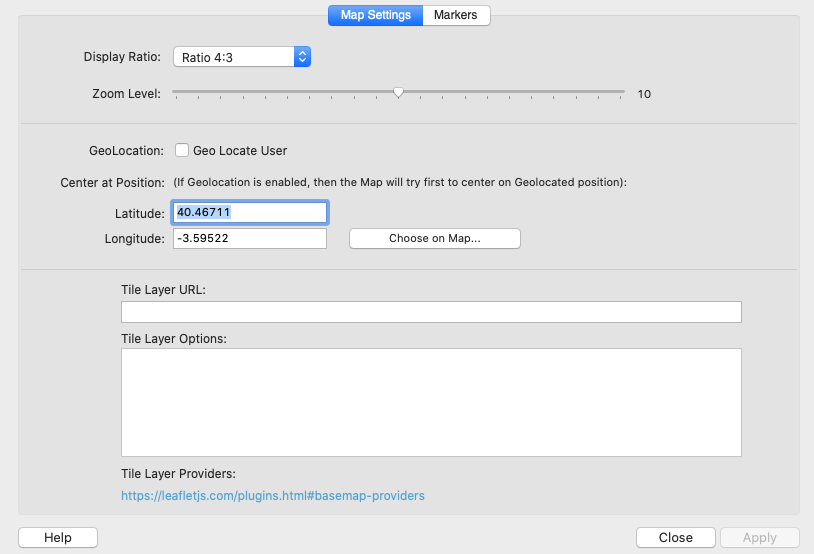
Display Ratio
The size of the container that will display the map is responsive with a fixed display ratio between height and width.
The ratio can be from 1:1 (Square) to 21:9 (Wide).
Zoom Level
The Initial Zoom Level from 0 to 20.
Geo Locate User
If this option is selected , the map will be automatically centered to the User current location.
Center at Position
You can define the Latitude and Longitude of the point where you want to center the map when the page is loaded.
Note that if the previous option (GeoLocate user) is enabled, the map will try first to center to the user position.
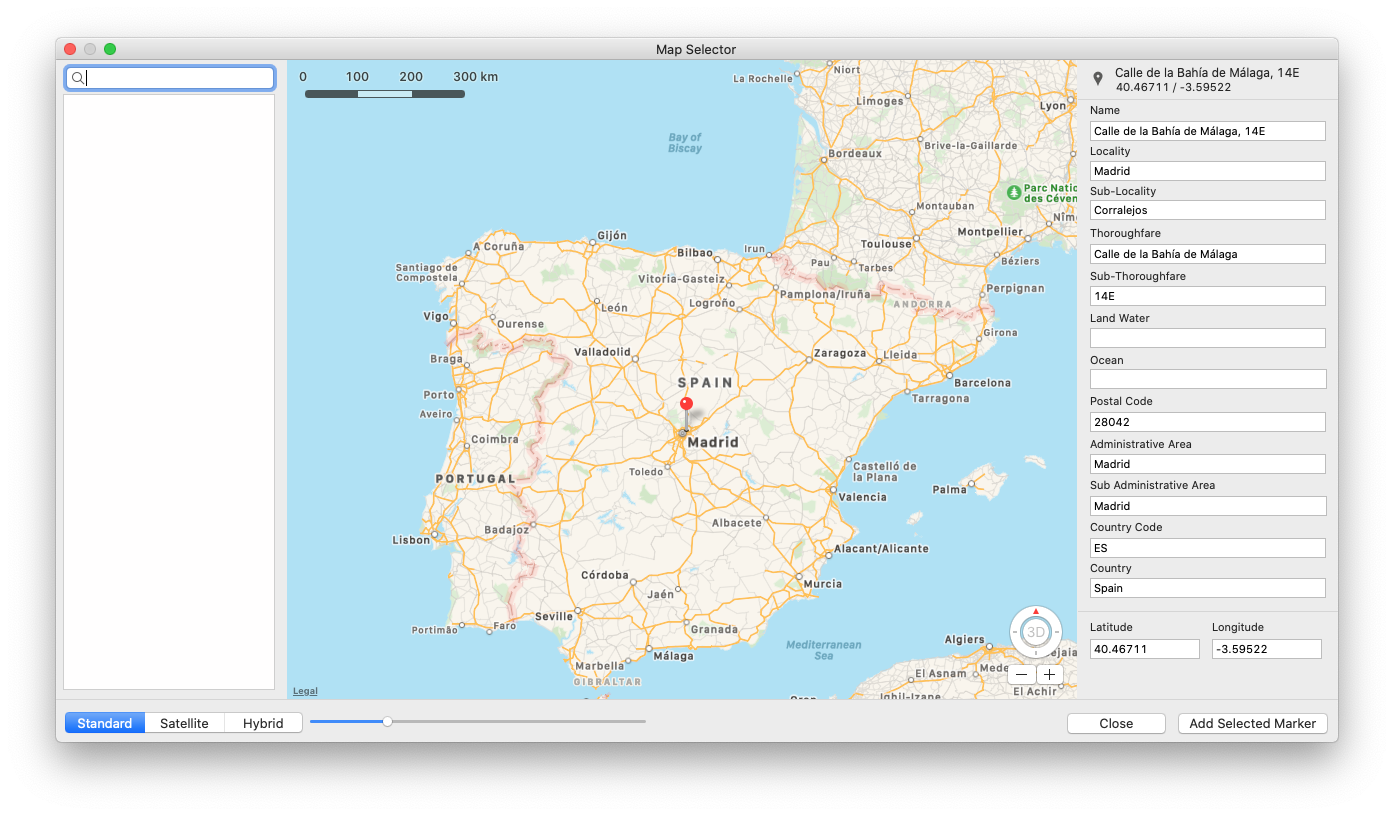
You can choose a Point (Lat & Lng) from a Map by selected the Button “Choose on Map” as shown in the screen below:
Tile Layer Provider
It is possible to customize an OSM Map by adding a Tile Layer Provider.
You can find a list of Providers on this web site: https://leafletjs.com/plugins.html#basemap-providers
For example, you can try to customise your map by using this provider:
https://server.arcgisonline.com/ArcGIS/rest/services/World_Street_Map/MapServer/tile/{z}/{y}/{x}
And the associated options:
attribution: 'Tiles © Esri — Source: Esri, DeLorme, NAVTEQ, USGS, Intermap, iPC, NRCAN, Esri Japan, METI, Esri China (Hong Kong), Esri (Thailand), TomTom, 2012'
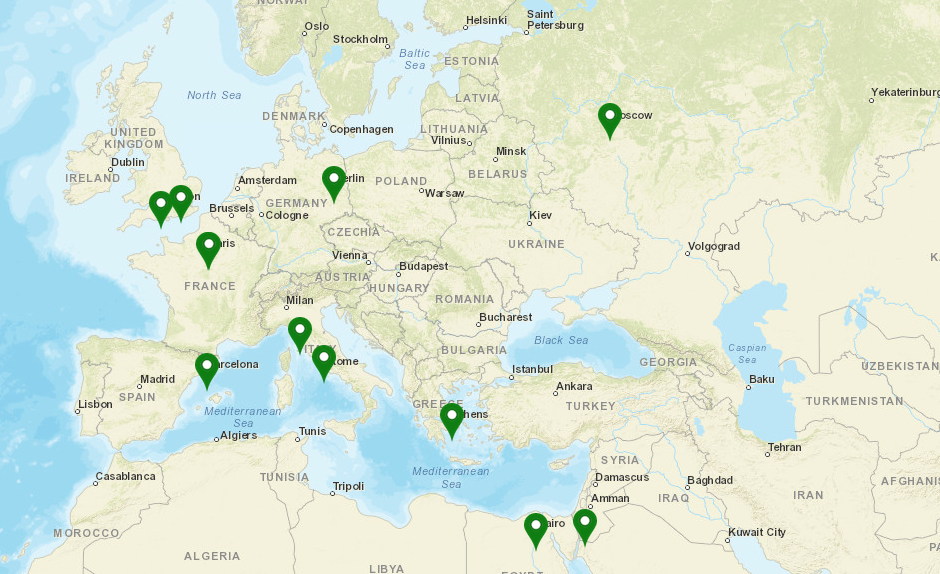
The Map result will look like the following example:
Advanced Property Map Setting - Adding Markers to Map
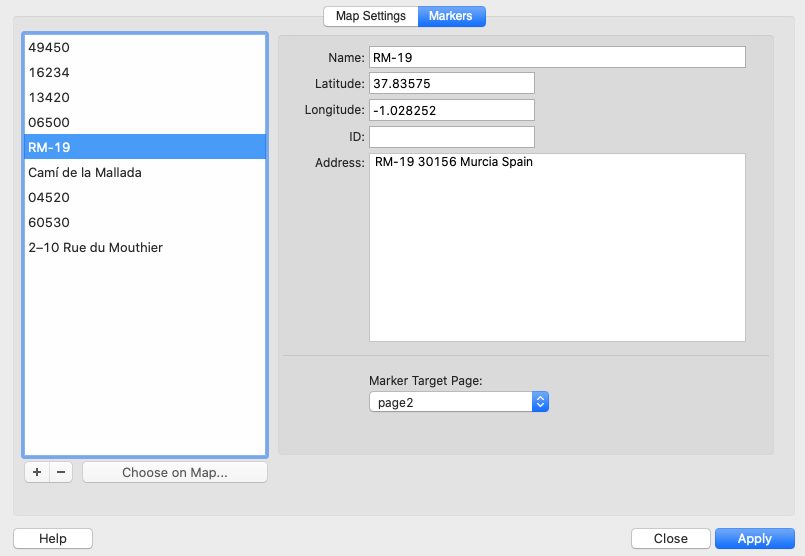
The “Markers” tab of the GoogleMap Configuration Window lets you add markers from the a Database or manually.
NOTE
A Web project can be populated from static markers or SQLite DB Markers, a Mobile project can also be populated from a Firebase Database or with an external Remote database thanks to the Json API Plugin.
Populating a Map from dbExpress (SQLite / MySQL)
It is possible to populate a Map from an SQLite or MySQ database.
You first have to choose the Database Table source, and set an optional filter.
It is possible to restrict the number of loaded markers (0 means no limits)
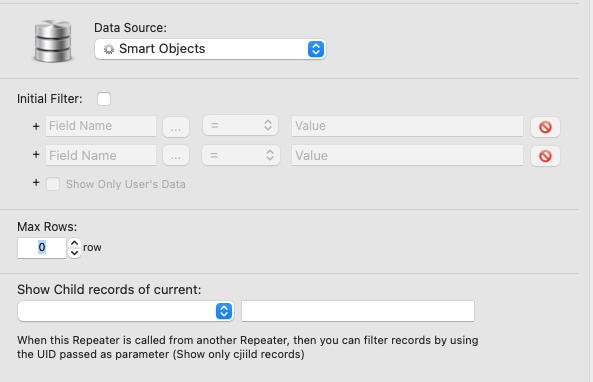
The "Data Mapping" tab lets you set the fields used for displaying markers information.
Populating a Map from Firebase
It is possible to populate a Map from a Firebase Collection, you just have to set the Collection name, the Firebase Fields and, if required, the filter values:
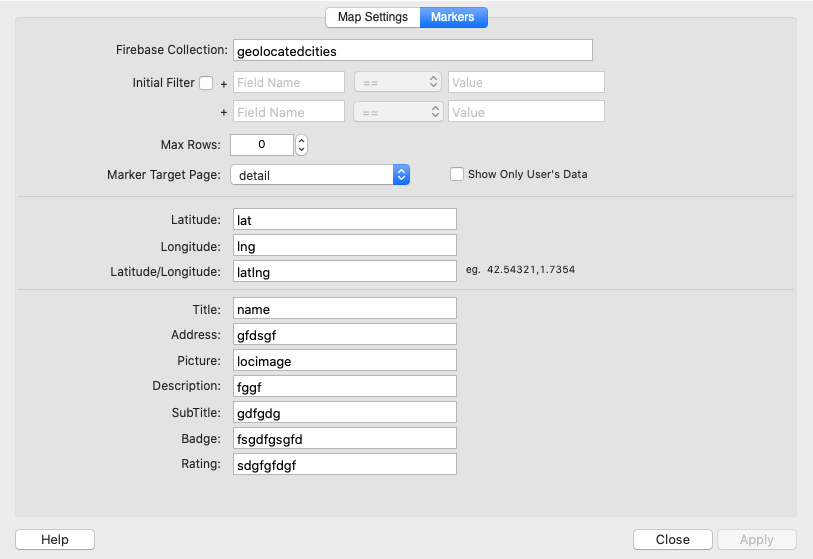
NOTE
The Markers coordinates can be populated from individual lat & Lng fields or from a Lat-Lng single field where the 2 values are separated by a comma
Populating a Map with the JSON API
It is possible to populate a Map from a Json API source (Local or Remote), you just have to set the API URL or Json File, the Json Fields , the root and Key Field (Primary Key)
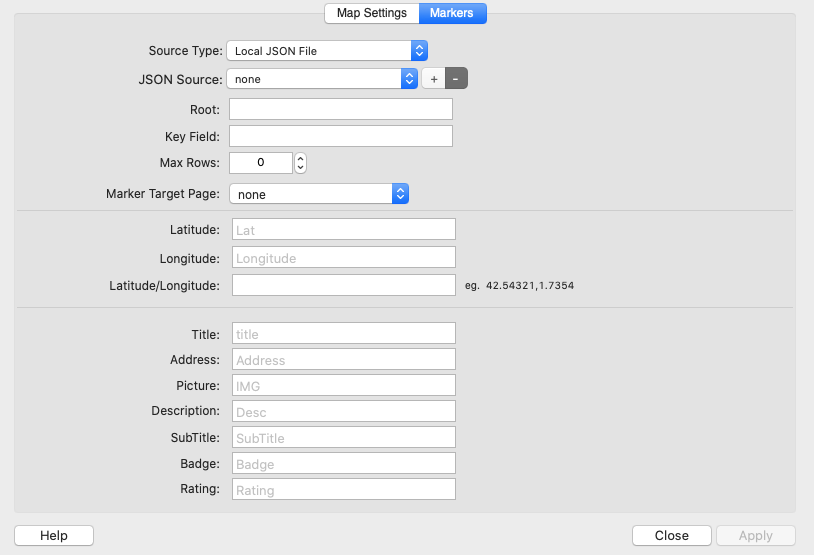
NOTE
Like for Firebase, the Markers coordinates can be populated from individual lat & Lng fields or from a Lat-Lng single field where the 2 values are separated by a comma
Events
There are some events attached to the OSM Widget:
osmMapOnClick(map,coordinates)
Exemple: app.on('osmMapOnClick', function (map,coordinates) {...});
osmMarkerOnClick(marker)
app.on('osmMarkerOnClick', function (marker) { //Do Something Here });
osmMapClusterAdded(map,cluster)
app.on('osmMapClusterAdded', function (map,cluster) { //Do Something Here });
osmMapInitialized(map)
app.on('osmMapInitialized', function (map) { //Do Something Here });
osmMapReloaded(map)
app.on('osmMapReloaded', function (map) { //Do Something Here });
API
Thanks to the function getMapInstance , you can get a Leaflet Map Instance
Example: var map=thoriumapi.osm.getMapInstance("osm_map");
(where osm_map is the ID of your OSM widget)
From the map reference, you have access to all the functionnalities implemented in leaflet.js, read the Leaflet.js documentation for more information at: https://leafletjs.com