Json API Fields
The Json API Field widget can be used inside a JSON Repeater for displaying a list of records, or inside a JSON Displayer for displaying a single record.
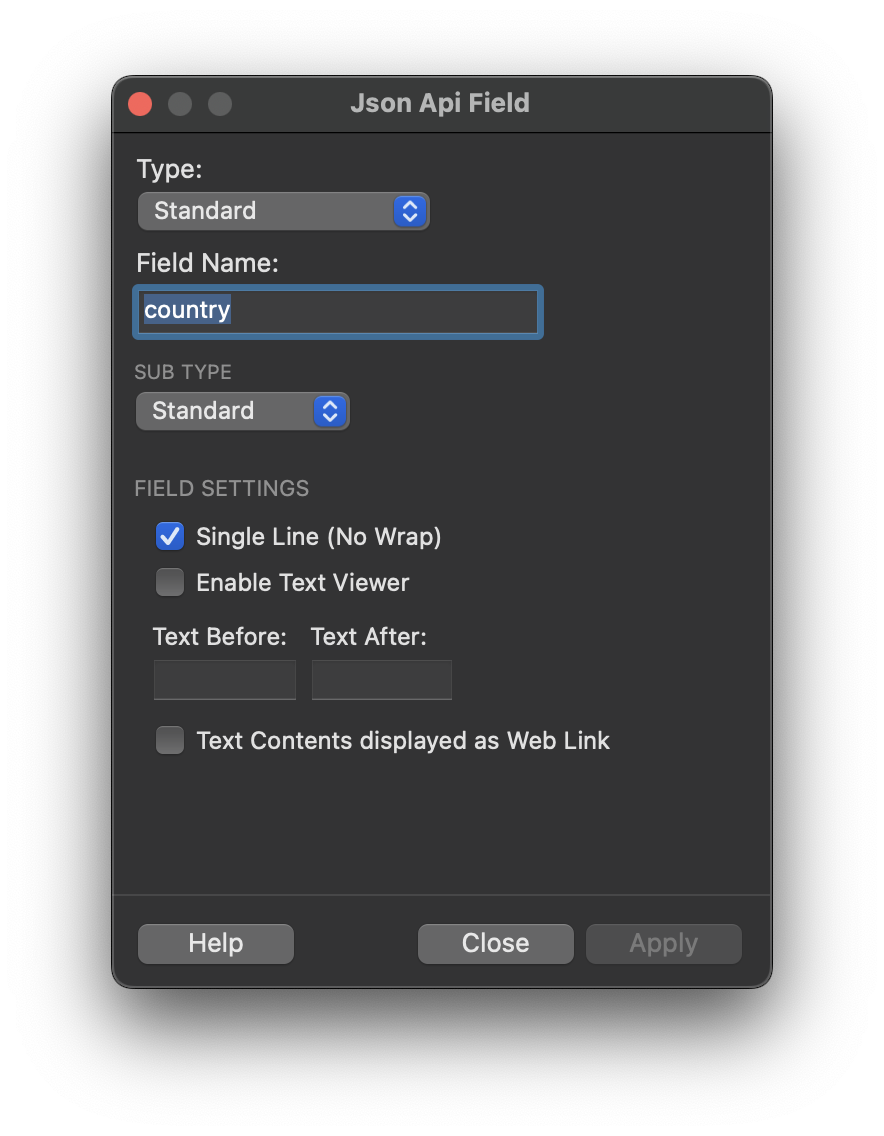
In order to add a JSON Fields to a page, just drop it from the Widget list and double-click on it:
NOTE
The Json Field Widget can display a text content as well as a Picture, an Audio , Video or Geolocation Record (Map).
JSON Standard Field Settings
Field Name. The name of the record field in the JSON source
Single Line. The text is always displayed on one line if checked
Sub Type. it can be the text value, a chip button or a badge.
Enable Text Viewer. The text can be enlarged in a popup
Text Before/After. You can add a static text before/after the field value. For example for currencies, you can display $ as "text before" in order to display the value 1000 as '$1000'
Text Contents displayed as Web Link. When the text contain an url (eg. https://www.mywebsite.com) and is displayed with a link to this address
Action. If the WebLink option is checked, then you can chose here if the link is a WebSite an email, a phone number, etc...
Label. If the WebLink option is checked, then you can set the label that will displayed instead of the url. (If you keep it empty, then the url is displayed)
JSON Picture Field Settings
Field Name. The name of the record field in the JSON source
Single Line. The text is always displayed on one line if checked
Display Ratio. The ratio width:height for displaying the image (21:9, 16:9 …)
21:916:94:31:1CoverImage Display. Cover or Contain.
Show Zoom on Click. If checked, then the user will be able to enlarge the picture by touching it. (It will launch a Photo Browser automatically)
Data root. If the JSON record contains only the file name, then you can add the root url in this field, for instance https://www.mywebsite/img/
JSON Audio Field Settings
Field Name. The name of the record field in the JSON source
Data root. If the JSON record contains only the file name, then you can add the root url in this field, for instance https://www.mywebsite/img/
NOTE
Audio Fields can only be loaded in a Displayer (Record Detail)
JSON Video Field Settings
Field Name. The name of the record field in the JSON source
Display Ratio. The ratio width:height for displaying the video (21:9, 16:9 …)
21:916:94:31:1Show Controls. Hide or Show the Video Controls (Play, Pause…)
Muted. If checked, then the audio will be muted
Data root. If the JSON record contains only the file name, then you can add the root url in this field, for instance https://www.mywebsite/img/
NOTE
Video Fields can only be loaded in a Displayer (Record Detail)
JSON Geo-Point Map
Display a Map (OSM or Google Maps) fro a Lat-Lng Geo Point. One of the OSM or GoogleMaps API plugins must be enabled.
NOTE
Video Fields can only be loaded in a Displayer (Record Detail)
Geo Point Field. It can be 2 separated fields for Lat/lng or a single Field that contains both
Display Ratio. The ratio width:height for displaying the video (21:9, 16:9 …)
21:916:94:31:1Show Controls. Hide or Show the Video Controls (Play, Pause…)
Engine.Choose if you wish to use GoogleMaps API or Open Street Map / Leaflet plugin for the Map.
View Mode and Style. Display Options for the Map (Google Map Only)
Zoom Level. The initail Zoom Level for the Map
NOTE
Geo-Point Fields can only be loaded in a Displayer (Record Detail)
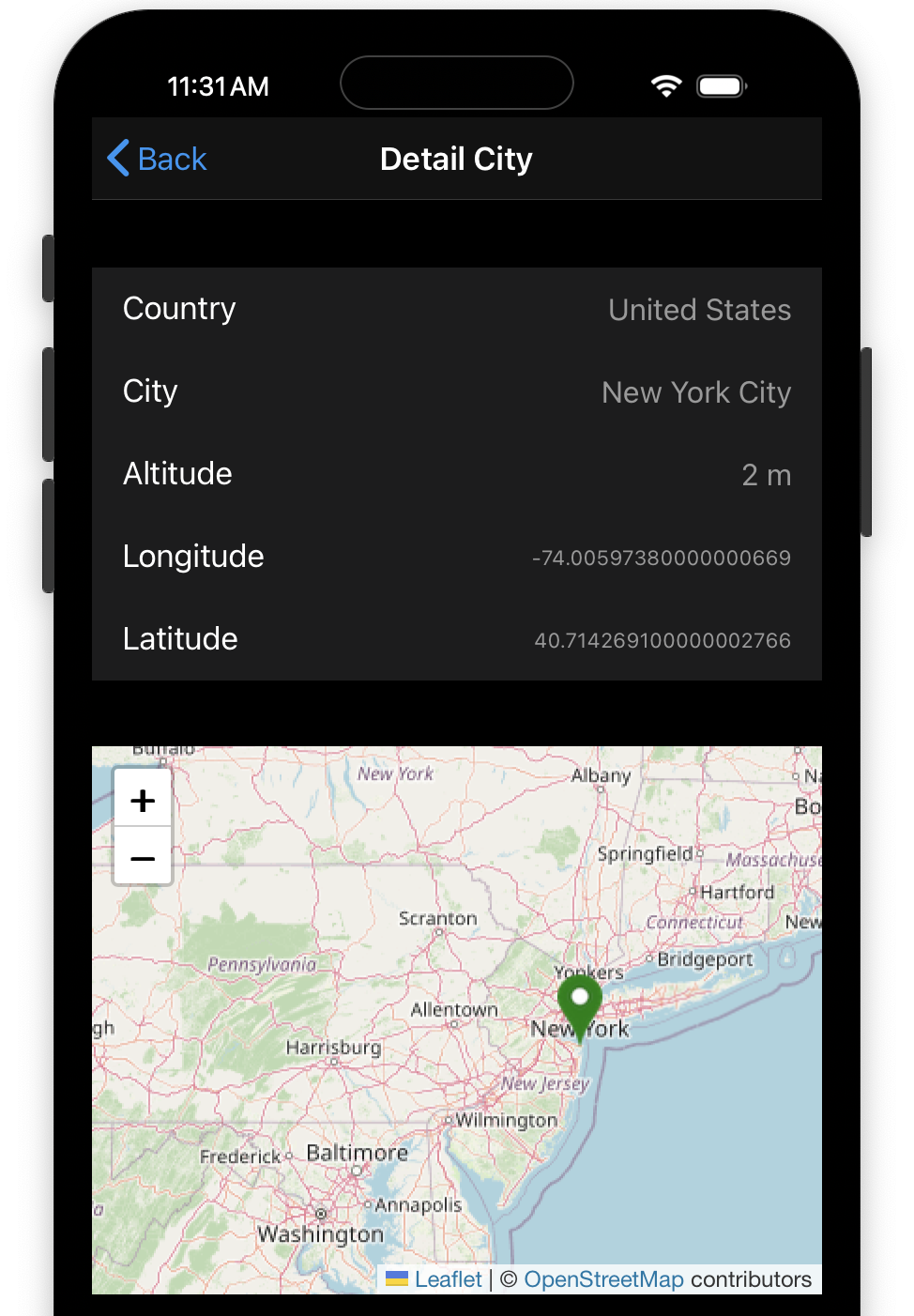
Example of Geo-Point view inside a JSON Displayer