Creating a New Project
To create a new project, click on the "New Project" icon in the toolbar or select the corresponding menu (File => New Project).
SHORTCUT
⌘⇧N

Then, select the type of project to create:
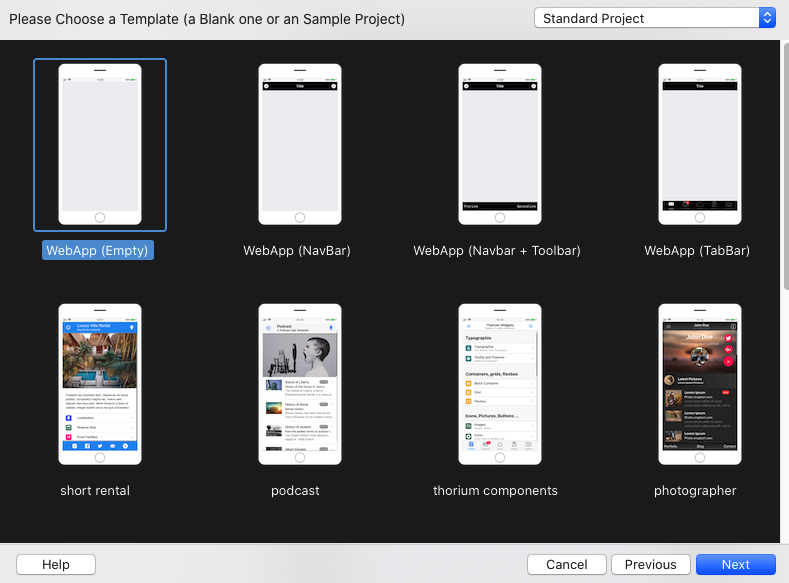
Select a template: an empty project, or a project based on a template.
Then click on Next and select the type of Database you want to use:
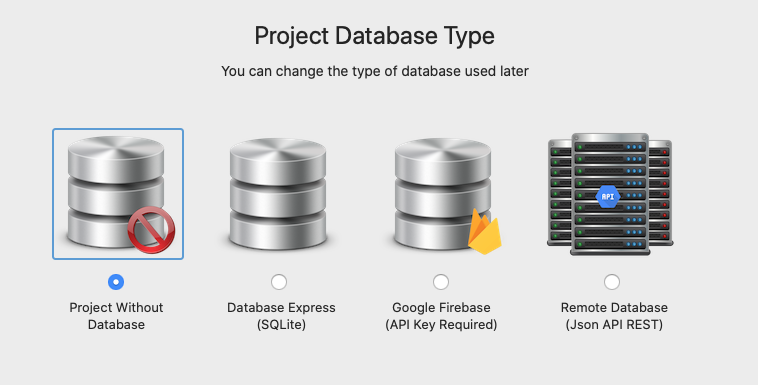
The available project database types are:
Project Without Database
Use this option when you don’t need a database. (This is the only option available with the Thorium Free Edition)
Database Express (SqLite/MySQL)
Use this option if you want to implement the SQLite or MySQL support (DBExpress) to your project and quickly implement a project with a database.
This is the less technical option and the easiest way to create a Database powered project.Google Firebase
Unleash the power of your App by using the Google Firebase Authentication and Cloud Firestore.
This option is only available for Mobile Projects.Remote Database (JSON API REST)
Access to any existing or new Database by using the Thorium Json API/REST Plugin.
Then click on Next and enter the name of the project. (Note that the name of the Project is an internal name, only used for project identification).