Thorium Builder 1.3.0 Release Notes
RELEASE DATE: FEBRUARY 2020
https://www.thoriumbuilder.comhttps://www.thoriumbuilder.comAbout this Release
This 1.3 release includes a lot of new features and enhancements for the 3 types of data access (SQLite, JsonAPI & Firebase). Step by step we will make the 3 functionnalities converging in order to add CRUD (Create, Read Update Delete) features to the 3 modes. The most advanced is the Firebase Plugin, the next steps will be to improve Sqlite and the Json API and make them fully CRUD.
Frameworks & External Components
Progressive Web App (PWA)
Framework7 updated to 5.4.0. Read the release notes here: https://framework7.io/release-notes/
Firebase updated to 7.8.0 ( https://firebase.google.com/support/release-notes/js#7.8.0 )
Responsive Web Sites
Bootstrap updated to Bootstrap 4.4.1 bundle (including popper.js)
jQuery updated to jquery-3.4.1.min.js ( https://jquery.com )
Swiper Widget updated to 5.3.0 ( https://swiperjs.com )
Thorium Builder Interface
New Background Selector
Widgets background options are is now grouped in one single Popover with more features: Color classes list, Hex Color value, Recently used colors, Background Image size and position….
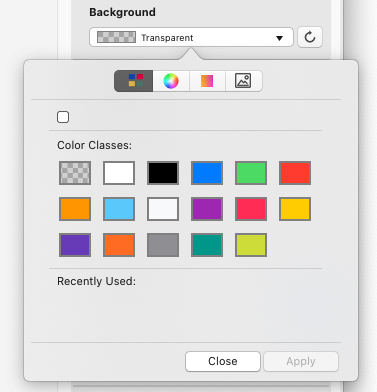
COLOR CLASSES
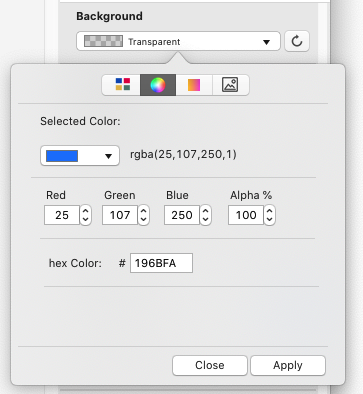
CUSTOM COLORS
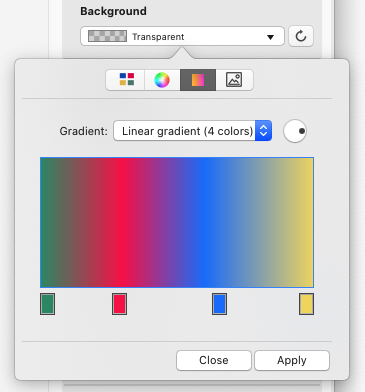
GRADIANT
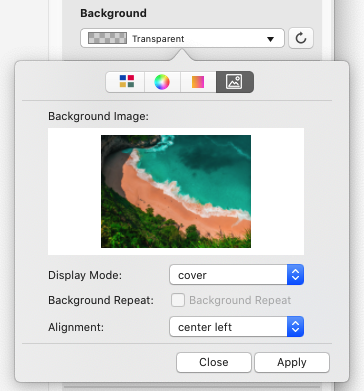
BACKGROUND IMAGE
New Spacing Popup Selector
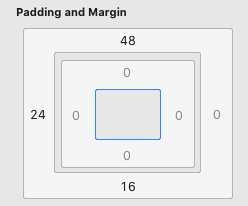
New Spacing View
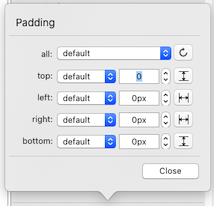
New Spacing Popover
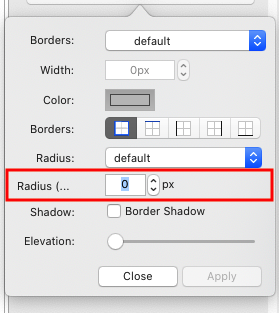
Border Radius Selector
Border Popover properties now includes a Radius option.
Collections Zoom (Photo SlideShow)
When opening a Zoom (photo browser) from a collection, it is now possible to navigate through the collection images (available for static Collections as well as DB Collections loaded from SqlLite, Firebase, etc…).
The photo Browser shows the #current image / #total collection images (1), and includes automatically Navigation buttons (2)
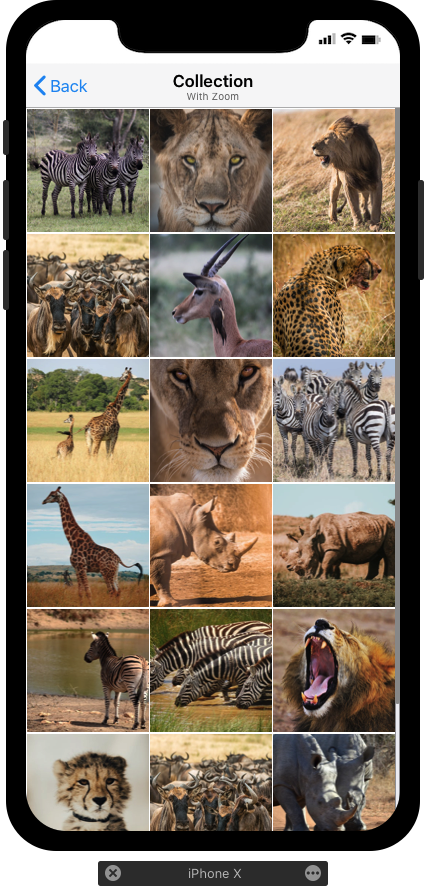
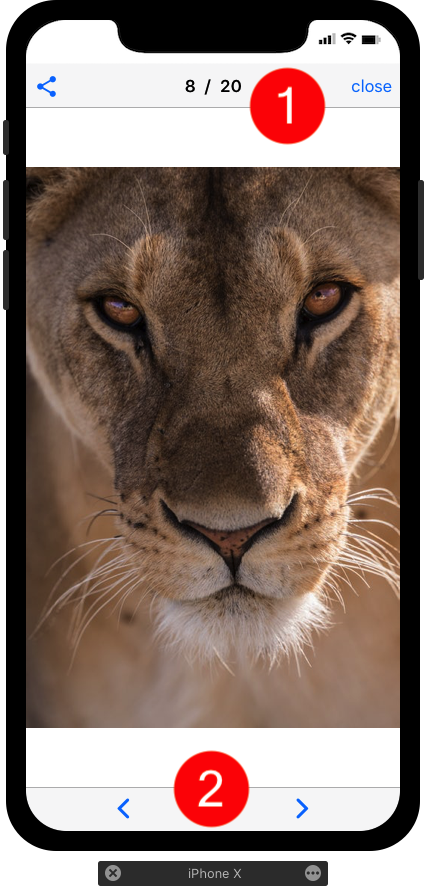
Photo SlideShow Settings
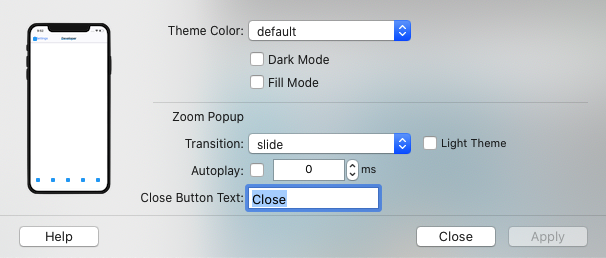
The “Project Color Theme” option now lets you customise the Image Zoom (Photo Slide Show loaded from Collections or Pictures).
It is possible to set the display mode (light or dark) , set the default effect transition and add an “Autoplay” option.
Notch Color on iOS
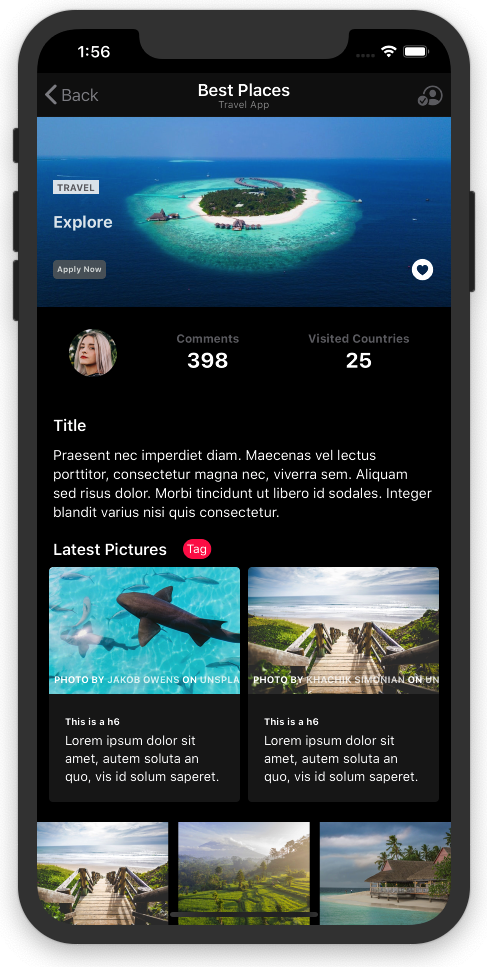
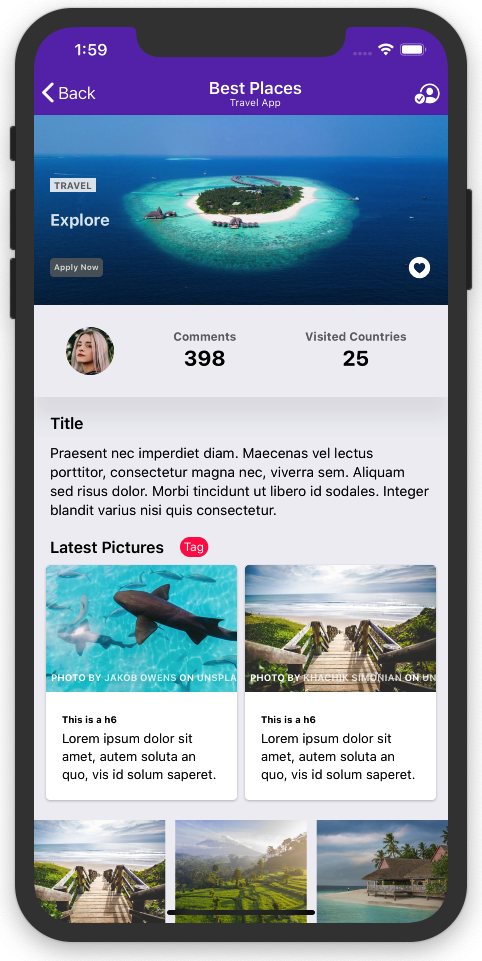
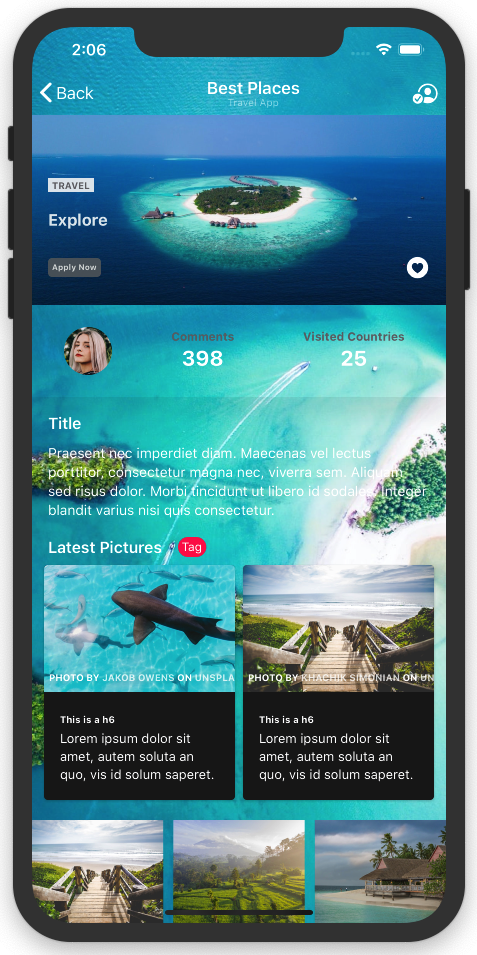
The iOS devices Notch (iPhone X, XR) is now using the PWA color theme automatically, there are 4 possibilities: Default (White BG), Dark Mode , Fill Mode and Translucent Mode (When the page has a background image).
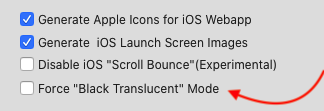
A new option available from the Project Settings=> PWA Settings lets you force the “Black-Translucent” mode (When the App has an image background for instance:
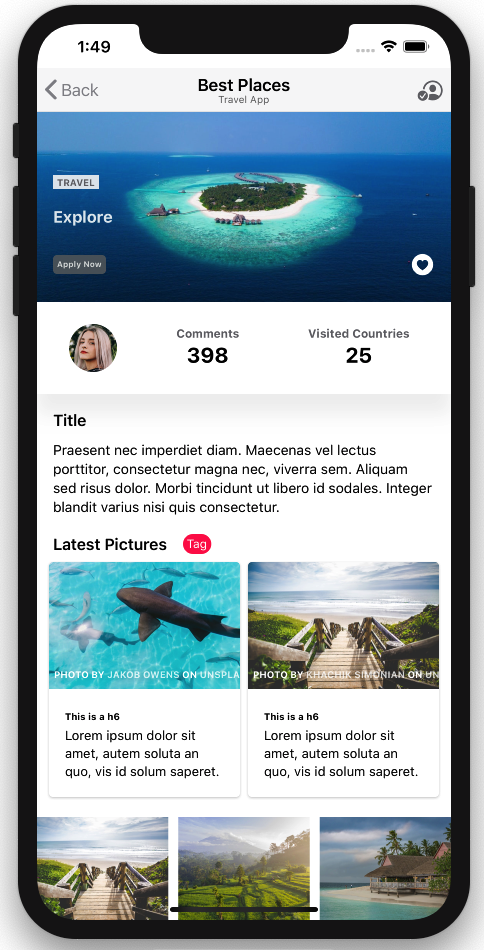
See below 4 examples of the Same Thorium PWA with different settings on iPhone XR.
Disable “Scroll Bounce” on iOS PWA
From the Project Settings panel, you can now disable iOS Scroll Bounce by selecting the “Disable iOS Scroll Bounce” checkbox.
This new feature is “experimental” it is actually an “Hack” function because Safari on iOS doesn’t support (yet) the overscroll-behavior class.
On Android Device (or Chrome iOS) , this option will set the overscroll-behavior to “none".
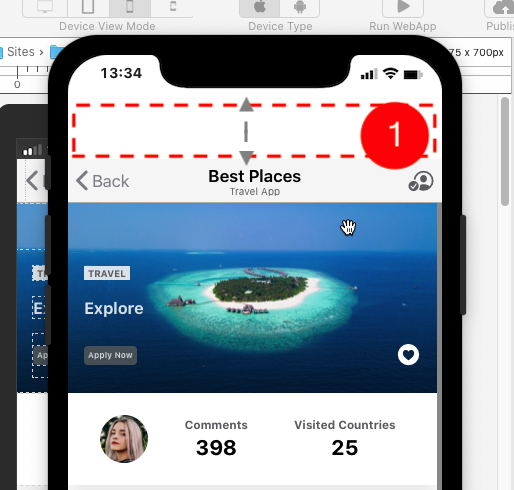
With this new option, you can disable this effect inherited from Safari iOS, and the navbar will always remain on top of the screen.
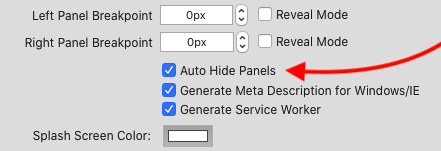
New Option “Auto Hide Panels"
With this new option, all the links selected from a left or right panel, will load the selected page and automatically close the panel right after.
SQLite - Database Functionalities
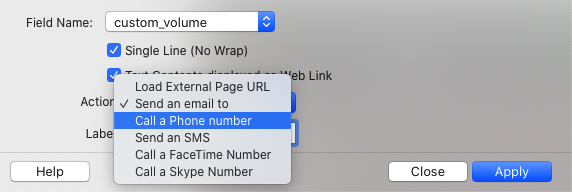
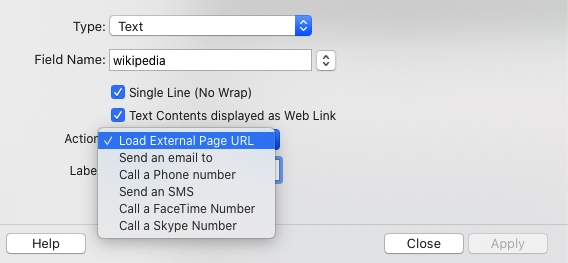
Database detail (DB Displayer) Extended Links
It is now possible to display a field as a link with Phone Number, email, Skipe number, SMS etc… (And it is possible to add a custom Label if required)
FTS5 Activation
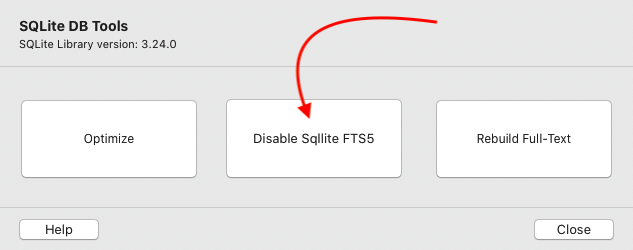
FTS5 is the full-text extension for SQLite.
SQLite is almost always activated on Hosting Providers configurations, but unfortunately not always enabled by default.
In order to let you run a Database Project on an Hosting Config. That not includes FTS5, TB 1.3 includes an option to enable or disable FTS5:
New “Map Route Button" Widget
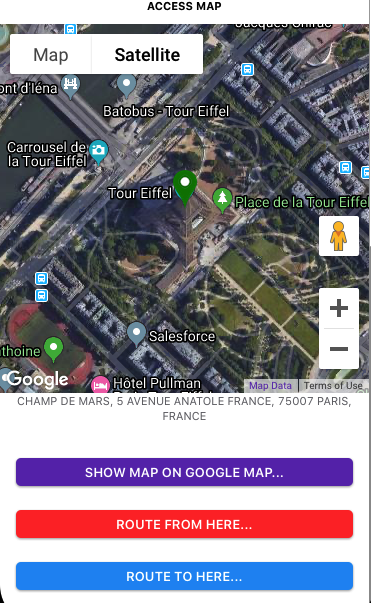
When you work with the SQLite DB, it is possible to geolocate a record.
Now it is possible to add a “Map Route” button on the record detail page, that will let you trigger 3 types of actions from the record location:
- Show Map
- Route From Here
- Route to Here
When the user will select the button, it will load automatically the GoogleMap App (if installed) or the Google Web site. Note that this functionality doesn’t require a Google API key as it is opening the GoogleMap App.
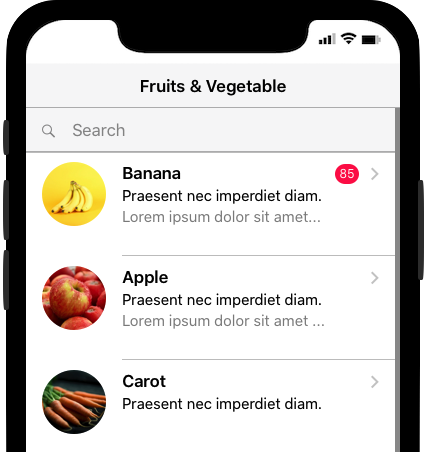
MediaList With VirtualList Mode and Search Bar
The Media List object has been completely improved in order to implement a dynamic view mode (with Framework7 virtual List), and can now handle large list and implement a search bar.
It also implements new features such as: Circle Image, Hairlines setting, etc...
The new Widget "MediaList Search bar” can be attached to a MediaList on the screen and then let the user search within the MediaList.
Converting an existing MediaList to a “Virtual List” is very easy, you just have to double-click on it, and then change the display mode from “Standard” to “Dynamic (Virtual List)”.
JSON API Plugin
The Json Api Plugin has been optimised and now includes much more options.
Database detail (DB Displayer) Extended Links
It is now possible to display a field as a link with Phone Number, email, Skipe number, SMS etc… (And it is possible to add a custom Label if required)
Json Api Repeater Display Mode
It is now possible to display a Repeater with 3 different options: Medial List (Virtual List) , Collection Mode or with a custom Template.
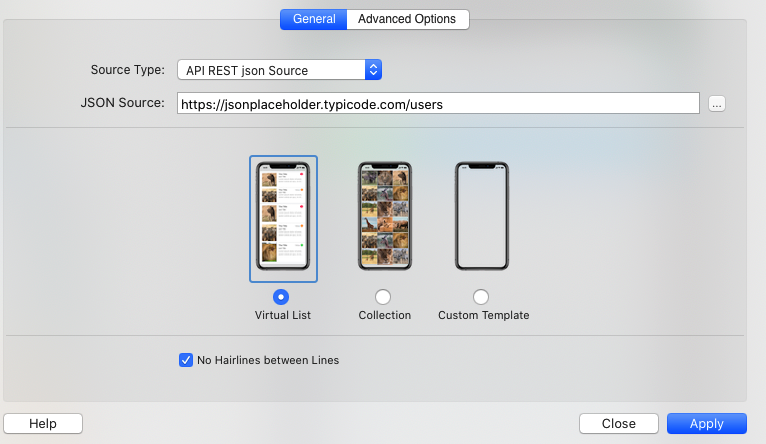
New Template Layout Selector
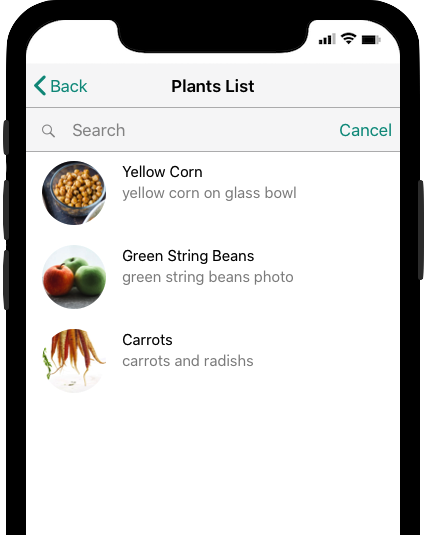
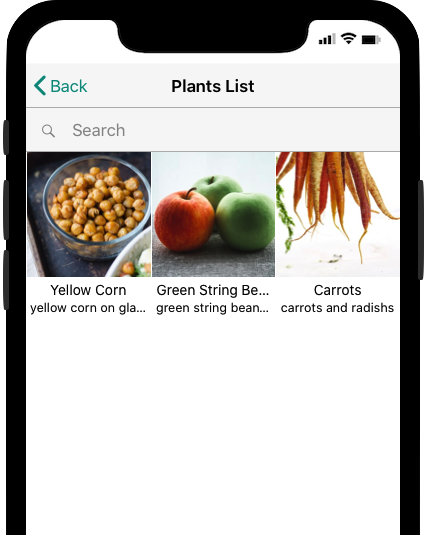
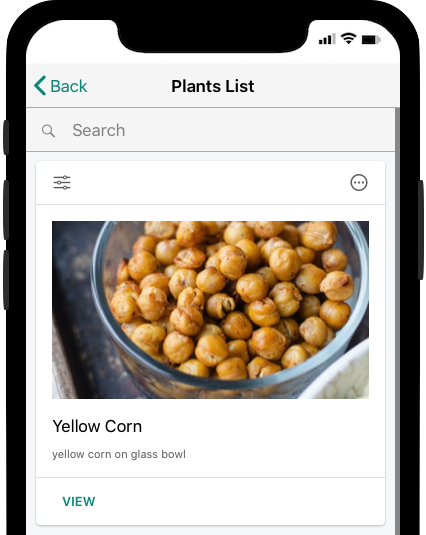
The Same JSON Api Displayed with 3 different modes: Medialist (with the new rounded images option), Collection or a Custom Template (here with Cards)
Json Api Action & Filter Buttons
Json API now includes a new Widget that lets you add extended search functionalities and custom detail buttons for the Repeaters created with a custom template:
Action Buttons are connected to a JSONRepeater, and let you change the JSON API REST parameters dynamically:
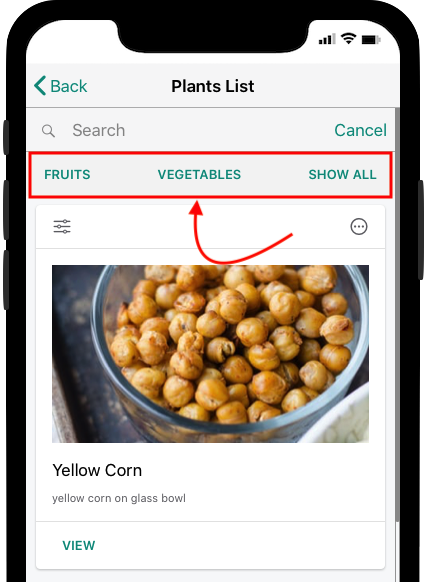
This screenshot shows an example of the Action Button implementation: it is possible here to refresh the JSON Repeater by selecting Fruits only, Vegetables only or both.
Google Firebase API
Firebase implementation in Thorium Builder is now using Firebase 7.8.0 ( https://firebase.google.com/support/release-notes/js#7.8.0 )
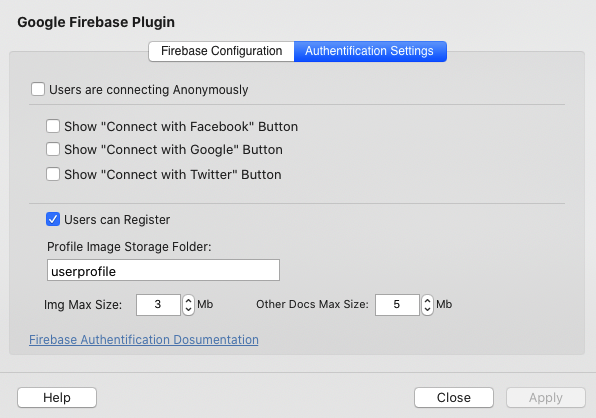
Firebase Plugin Additional Settings
It is now possible to set the Maximum Image & Documents maximum size allowed. (Insert & Update Forms).
A new option ( “Users can Register”) let you decide if users can create their login credential from the Signin Dialog.
Anonymous Users
Anonymous Users Registration process now convert anonymous account to a permanent account automatically. (See https://firebase.google.com/docs/auth/web/anonymous-auth for more details )
Firebase Error Messages
Firebase Error Messages are now showing the links provided by Firebase.
It is particularly useful when you try to add a sort field to your Firestore Repeater, if Firestore needs an Index to be created it displays the Index Creation link directly in the error message.
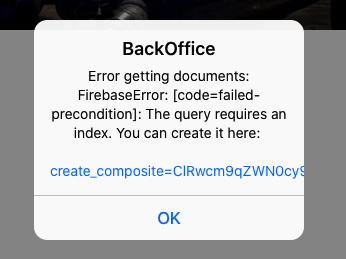
Typical Example of Firebase Error Message: the links is now activated so you can easily create the required Indexes on Firebase.
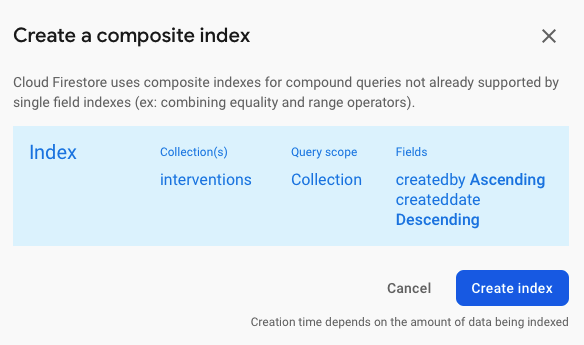
This link will open the Firebase Console with the required parameters as shown below:
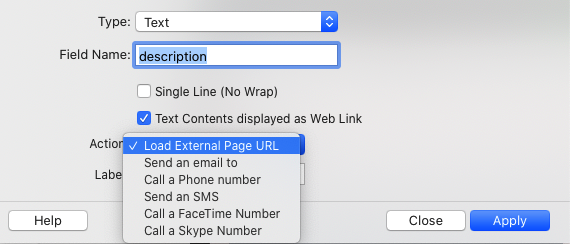
Firebase detail (Firebase Displayer) Extended Links
It is now possible to display a field as a link with Phone Number, email, Skipe number, SMS etc… (And it is possible to add a custom Label if required)
Firebase Master Detail Functionalities
With this new TB release, if you create a Firebase Insert Form that is called from a Firestore Repeater, the Form will use the Parent ID and save it to the Firestore Collection automatically with the record. (The Firestore collection field name is parentuid )
It means that from now you can link records together in order to implement a master-detail behaviour.
For instance, if you need to create a records including various images, you just have to create a form for entering images in a page that is called from a Firestore Repeater Line. (A tutorial will be soon available)
In the same way, opening a page with a Firestore Repeater from another Firestore Repeater List line will show only the Childs of the Select item automatically by using the criteria parentuid=:currentid
Firestore Repeater View Mode
Firestore Repeater now include a new “ Collection View ” display mode with is useful if you need to display only pictures.
The Media List display mode (VirtualList) now include a new option for displaying images as a rounded circle and image sizes are now customisable.
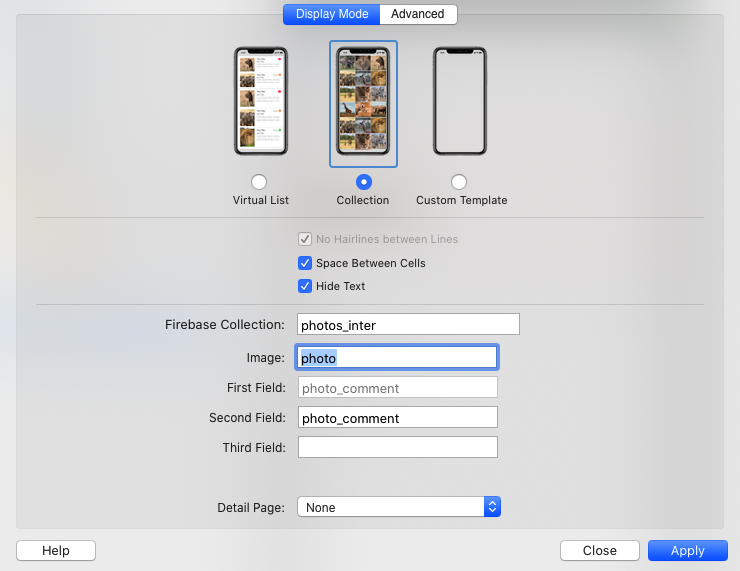
New Firestore Repeater Configuration Dialog
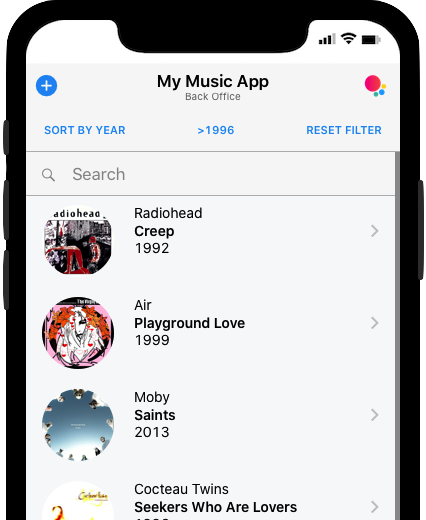
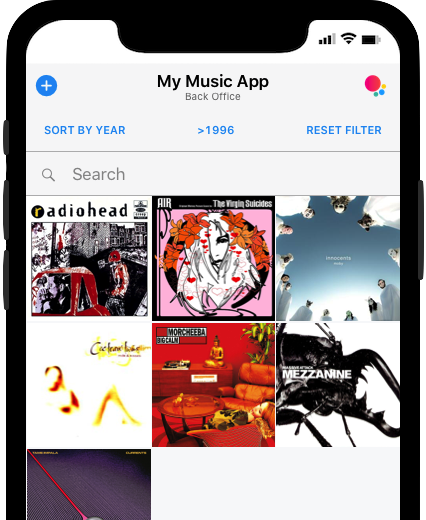
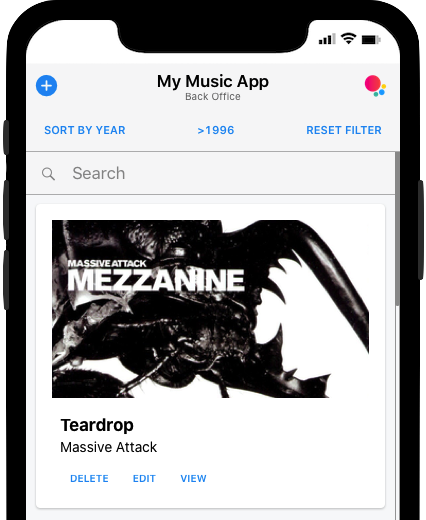
3 Display Modes: MediaList (here with Rounded Circle Images), Collection View or Custom Template mode (Here with Cards)
Firestore Form Builder List
Input of type Select (List) can now be initialized from an external JSON file or API.
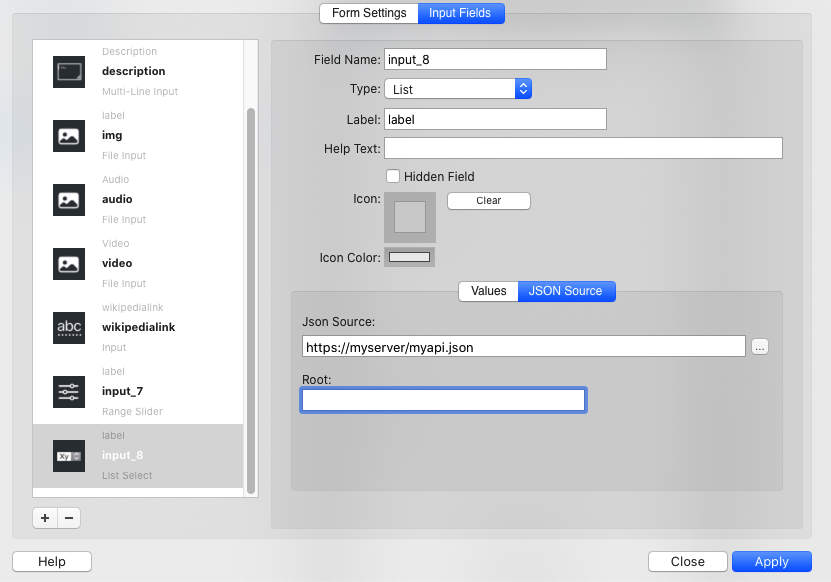
Select List initialised from an external API
For Select List input , we have also implemented a “Paste List” option: you can then copy-paste a list of data from a text file and create automatically the List content. (Eg. List of countries)
Firestore Form Builder “GeoLocation” input sub-type
here is now a new “GeoLocation” subtype available that will store current geolocation (lat-long)
Firestore Form Builder "Auto Filled” input
With this new option, all inputs of type Date, Time or Geolocation can be automatically filled (with current date, current time or current geolocation).
The new options “Hidden Field” and “Read Only" will let you collect the date time or geolocation from the Form without showing it on screen.
Firestore Form Builder Events
For the people who are using the LowCode functionalities with Thorium Builder, the 1.3 release introduce new Form events:
onFirestoreBeforeInsert
onFirestoreInsertError
onFirestoreInsertSuccess
onFirestoreBeforeFillEditForm
onFirestoreAfterFillEditForm
onFirestoreBeforeFillEditFormError
onFirestoreBeforeUpdate
onFirestoreBeforeUpdateError
onFirestoreUpdateSuccess
onFirestoreBeforeDelete
onFirestoreDeleteError
WebShare API
Thorium Builder 1.3 implements the WebShare API with a new Widget called “ Web Share Button ”. With this button, you can share a Static Text content , a page URL, or an Image when opening a PWA photo Browser.
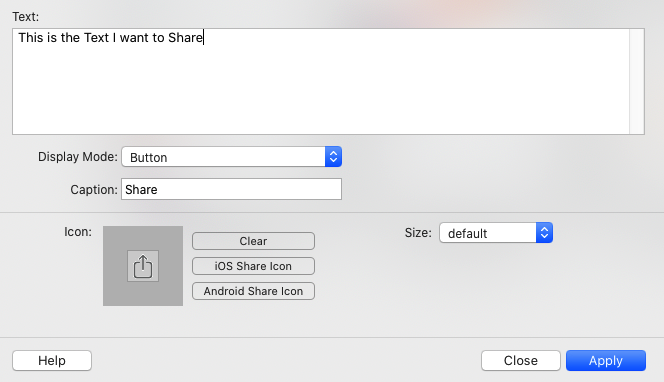
WebShare Button Advanced Properties
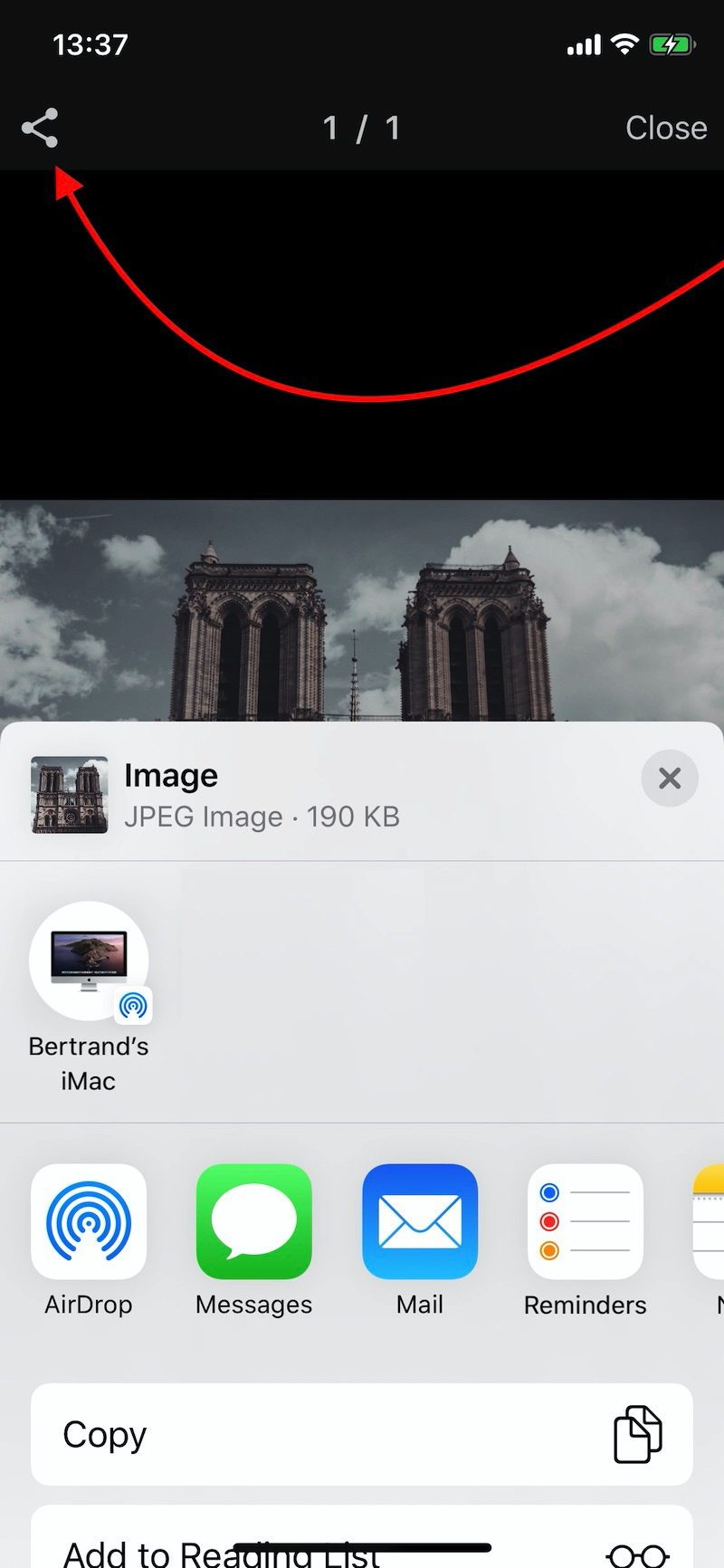
Exemple of WebShare API behaviour from a PWA PhotoSlideShow
Swiper Slider
Swiper Slider has been completely reworked and is now using swiper.js 5.3.0 ( https://swiperjs.com ). Swiper Slider Advanced settings now include the “Free Mode” option with 2 sub-parameters (Free Mode Momentum” and “Free Mode Sticky"
Swiper Slider Example with FreeMode
Bootstrap MediaList with Line Links
Bootstrap Medial List (Responsive Web Sites Projects) now implement a list line Action.
Enhancements & Bug Fixes
Manifest default color set to #FF
Manifest Start_url redirected to App root and add utm source for tracking
Manifest default orientation set to any
Manifest File added to Service Worker Cache
Theme can be passed as App url parameter (?theme=ios ?theme=md )
Data-name added to pages
offline.html layout with inline css
Add Reveal in Finder to Project list contextual Menu
Copy/Cut/Paste/Delete Menu added to Text Editor as Contextual Menu
showToast improved
ShowNotification improved
onPageInit & onPageMount events are now automatically adding the filter on current page,
eg. $(document).on('page:init','.page[data-name=“my page"]', function (e) {
var page = e.detail; });
Bootstrap Grid now use the p-5 padding class
Width at 100% were displayed at 100px.
Sitemap was not always generated
Expandable Cards z-index issue fixed.
Bug fix for tabs when multiple pages
Bug Fix with Figures Contents
Navbar button when Simulator in Web Mode are now displayed.
Added: autocomplete=“on” for email & password
Properties Popover remain open and are refreshed when selecting a new Widget.
showAlert Now automatically enable url links.
Fix a bug with ws_signin.php &database.min.js when session exist
DB was not Closed immediately by DataManager
DB PWA display Rating in DB Displayer Form was not working
Bug Fix on Android with phone, sms… links
Unsplash API improved
Simulator Right Click Issue on android Devices
Simulator bottom Corners now displayed
Add to Home Screen Popup now uses the dark-theme
Copy Paste HTML in Paragraph now copy plain text
Firebase Connect with Facebook duplicated label (fix)
Virtual Lists Height now Dynamically calculated
Fix: firebase Avatar refreshed on secondary pages
Firebase Edit Form: Swich were sending on/off instead of true/false (Now boolean everywhere)
Search BackDrop are now added to the right place in DOM
Forms Labels now inherit from Form Font Attributes (Size, Color …)
Added: Default Value for Form Text Fields
Bug Fix when adding Border to Widgets
