Minor bug fixes & enhancements
-
Minor bug fixes
-
Video Drop on Database Detail Window bug fix
-
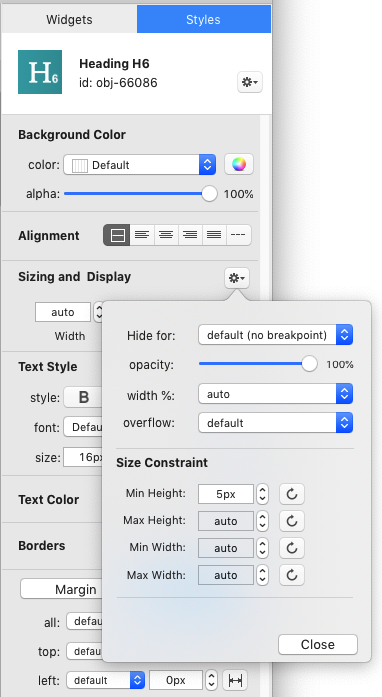
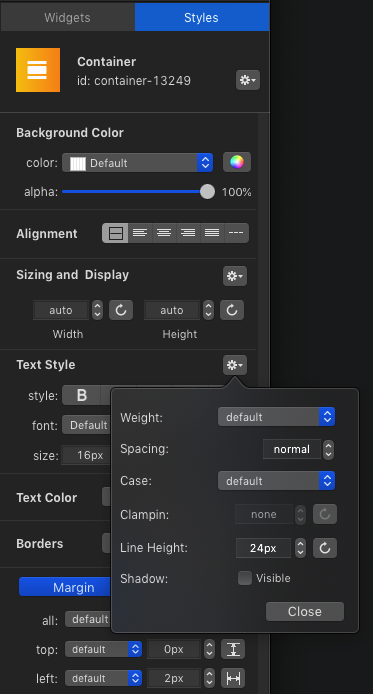
Object Properties / Widgets List now use the full window height: all lthe common styles are accessible on the same screen, and all the less used styles are accessible from a popover:
-
New Project Database integrity check Option
-
WebApp Navbar & toolbar Shadow & Hairline control Option
-
Right Click Contextual Menu added on DOM List
-
Mobile Editor Container has now a scrollbar on small screens
-
Template Files are now encrypted
-
Added: possibility to convert a simple project to Database Project
-
Pages Generation Process Optimisation (#30% faster)
-
Editor Info Window automatically hidden after 4 second
-
Automatic Backup of Projects Database
-
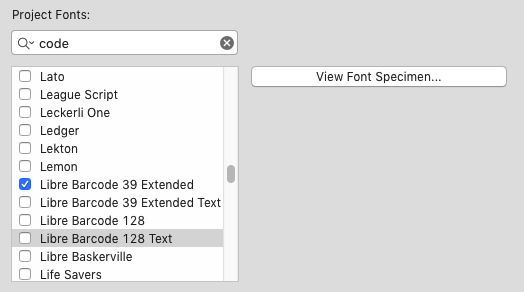
Added: barcode 39 and barcode 128 fonts from Google
123456789
-
Added: search box for Google Fonts
-
Added: SearchBox for Projects
-
Added: Option for showing cross guide in Editor
New Menu “Window” in main Menu Bar
-
Added: WebApp Accordion, “Expanded by default” option
-
Added: htaccess security improved
-
Added: option for changing object ID
-
GoogleMap API load optimised
-
Fix: Data Manager Window was sometime crashing during Image Load in Background
-
Fix for external Links on iOS 12.2 when the WebApp is added to HomeScreen.
-
Minor Fix: Zoom Close Button Margin
-
Added: Bootstrap Containers now have a “100% height” option.
-
Minor Fix: it is now possible to add Help Text for RangeSlider in User Forms
-
Custom.js and custom.css are now created by default
Frameworks
FRAMEWORKS UPDATE
-
Web Projects now powered by Bootstrap version 4.3.1
-
Web App Projects now powered by Framework7 v4.4.6
Image Management
MANAGE PROJECT PICTURES
-
Bug Fix: Picture Widget now accept GIF files drag&drop
-
Enhancement: duplicating an image now keeps source image
-
Added: Option for using a project existing image
-
Added: Project Images Manager
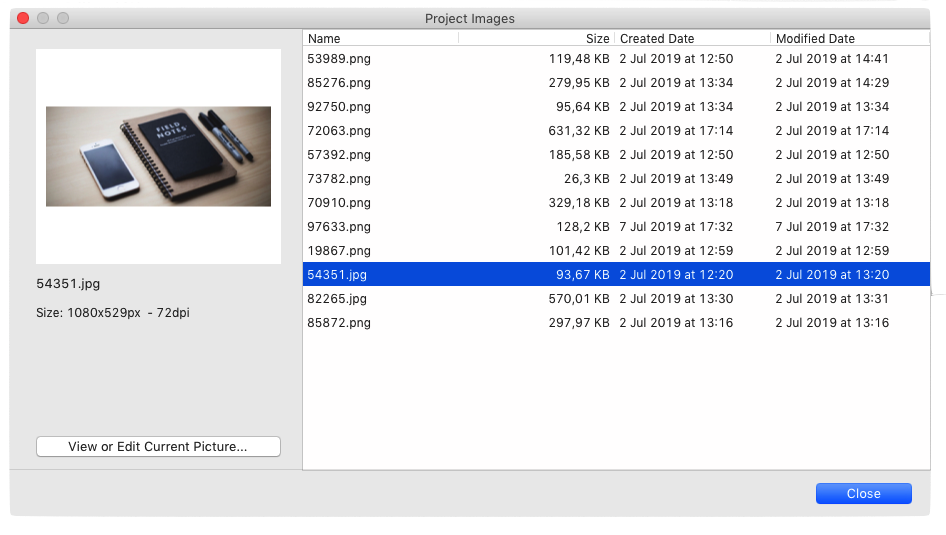
Project Image Management Window
Projects Management
ADD WORKFLOW TAGS TO YOUR PROJECTS
-
Added: SearchBox for projects
-
Added: Popup Contextual Menu with more options
-
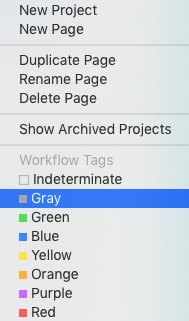
Added: Color Workflow Tags: The Tag Manager lets you define the workflow status of your pages & projects (eg. In Progress, Done ….)
Online Help
NEW DOC ONLINE
-
English Help completely re-written and completed (a big thank you to Rachel from the US for her great help )
-
New Online Version of the Help Navigator at https://www.thoriumbuilder.com/_help/
Mobile Simulator
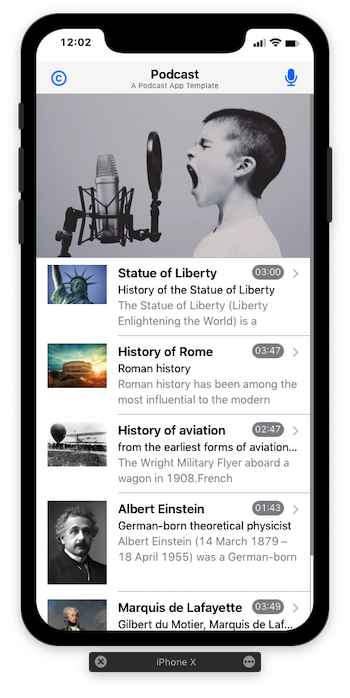
iPhone X/XR notch, round corners, & point accurate Size
The Thorium Builder 1.1 Simulator has been improved and now displays the point accurate sizes.
iPhone X/XR simulator also includes the notch and rounded corners for a more realistic WebApp Preview.
The Simulator can be now closed by using the CMD+W Shortcut.
New Thorium Mobile Simulator
Add To Home Screen
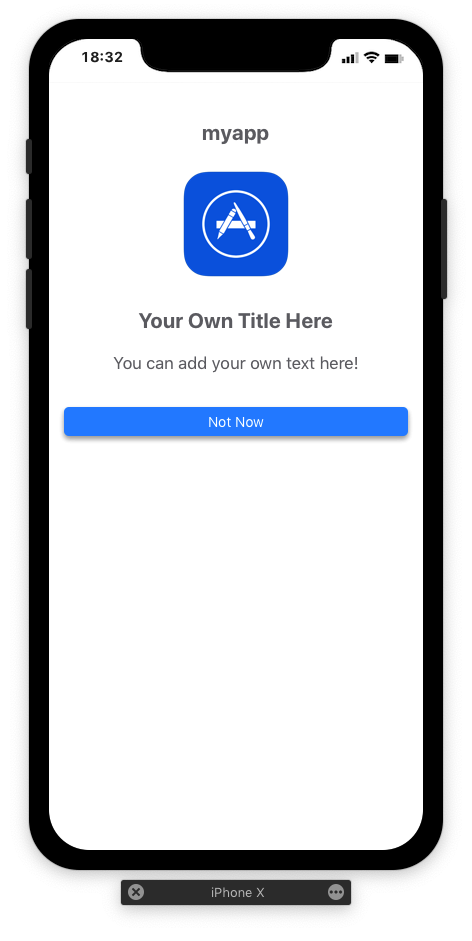
The “Add to Home Screen” user Dialog is now completely Customisable. (PWA)
Projects FTP Uploader
UPLOAD ONLY DATABaSE Modifications
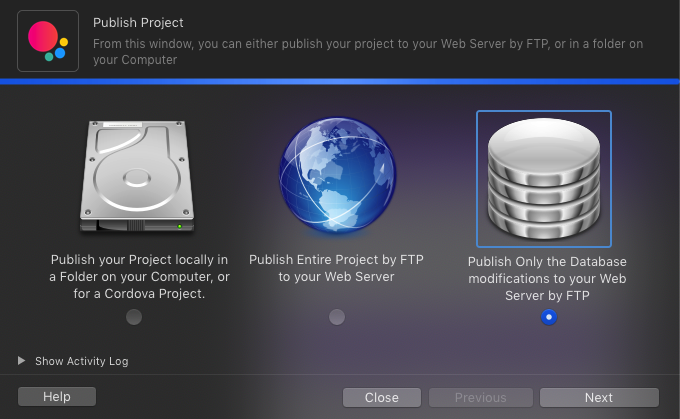
The ftp Uploader window now includes a new option that lets you publish the database changes only.
This option is useful if you made some changes to the database contents and want to upload the modification to the server without re-uploading the whole project.
User Forms API Call (WEBAPPS)
User Forms API Call (WEBAPP)
The WebApp user Forms can now call a script/API when the user click on the Submit Button.
ADVANCED FUNCTIONALITIES
Thorium Builder Standard Edition Only
WebApp User Authentification
ADD USER LOGIC TO YOUR WEBAPPS
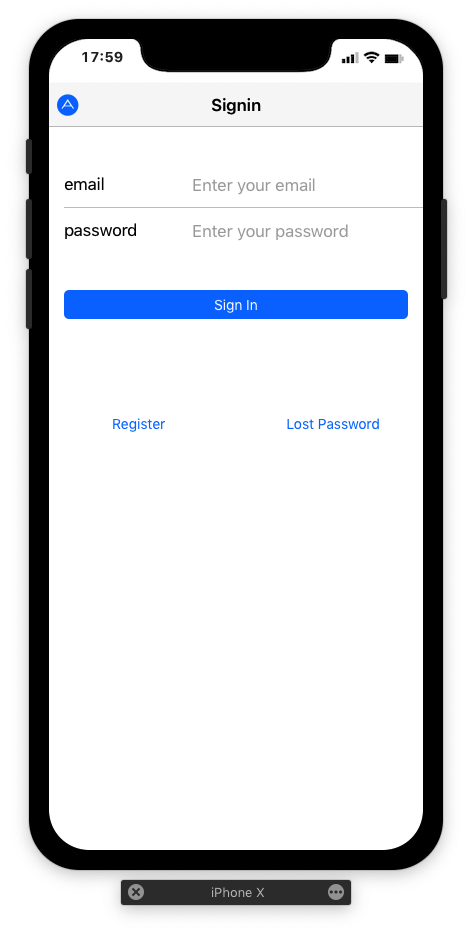
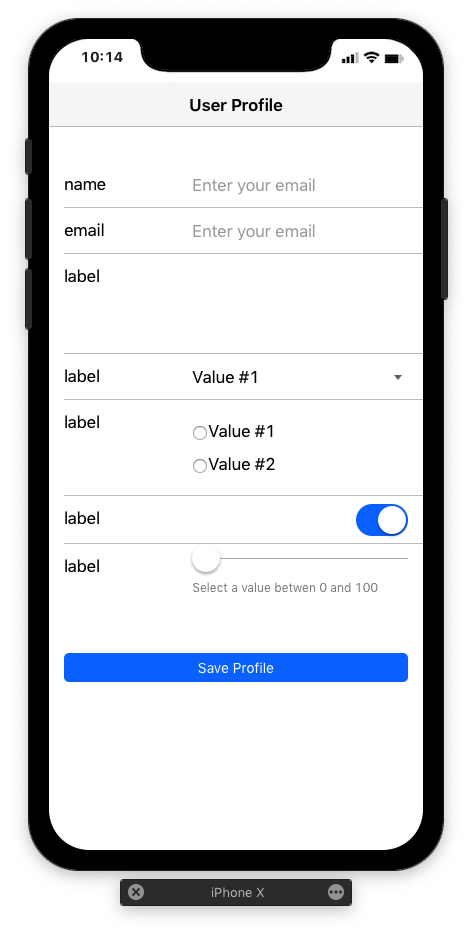
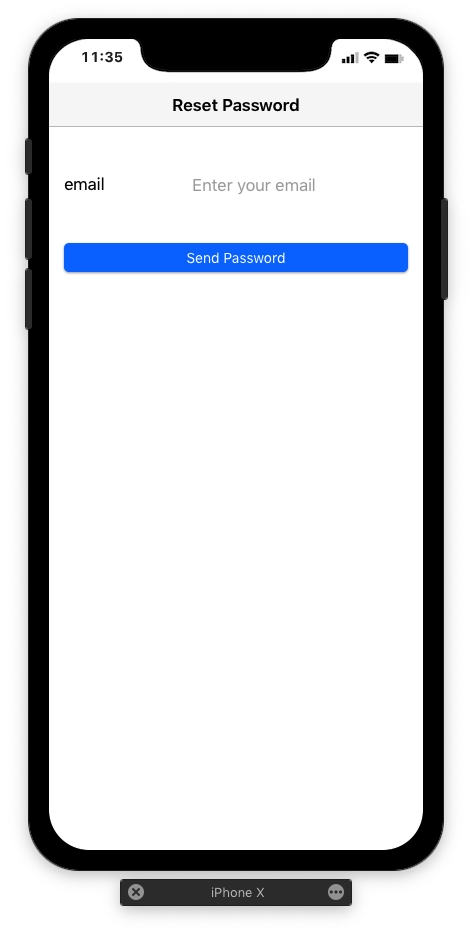
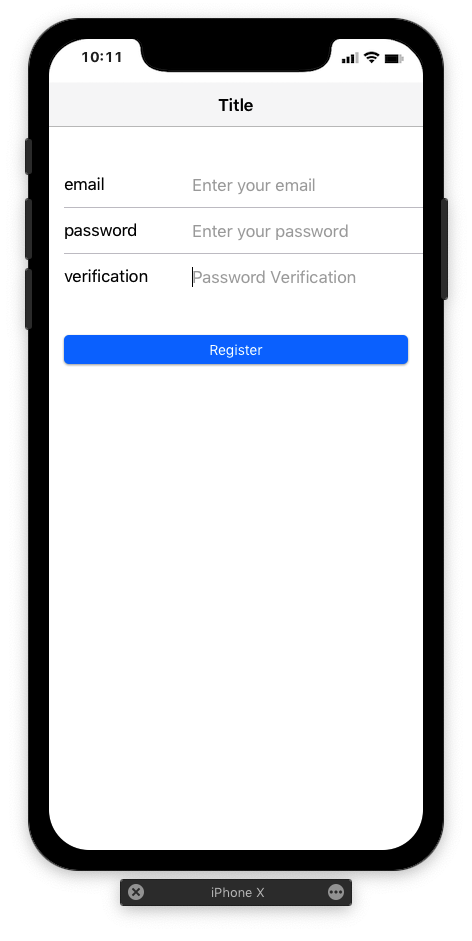
Adding User Authentification process to your app is now a piece of cake: just load the Authentification Plugin and drop the New authentification Widgets to your App.
This set of components implements a simple mechanism for user authentication on WebApps with strong one-way bcrypt hashing algorithm
Signin Form
Edit Profile Form
Reset Password Form
Register Form
Custom Code
ADD YOUR OWN CODE WITH EASE
Although Thorium Builder lets you design functional WebApps / Web Sites without coding, it can be sometimes useful to add custom code.
In order to simplify the process of adding code to a project, Thorium Builder includes a new option that allows you respond to events: events attached to a Widget (Click, mouseover, et…) or global events attached to the WebApp or Website.
By Right-Clicking on a Widget, you can directly access to the widget/App events as shown in the screen shot on the right.
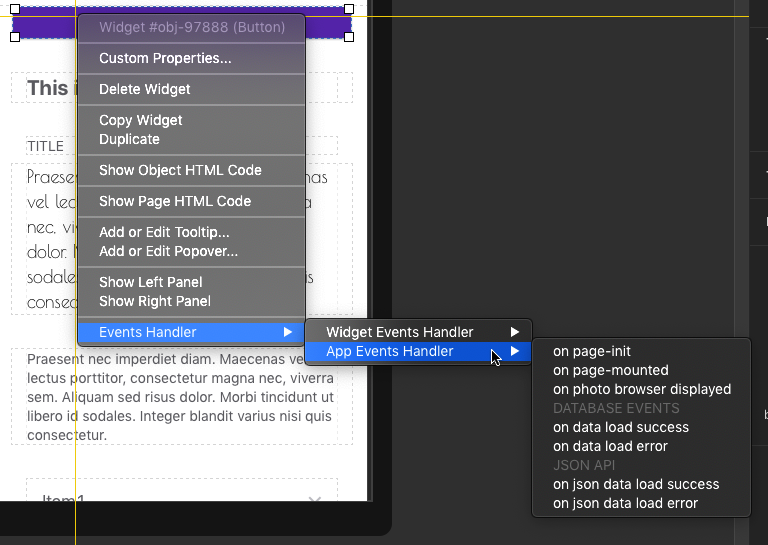
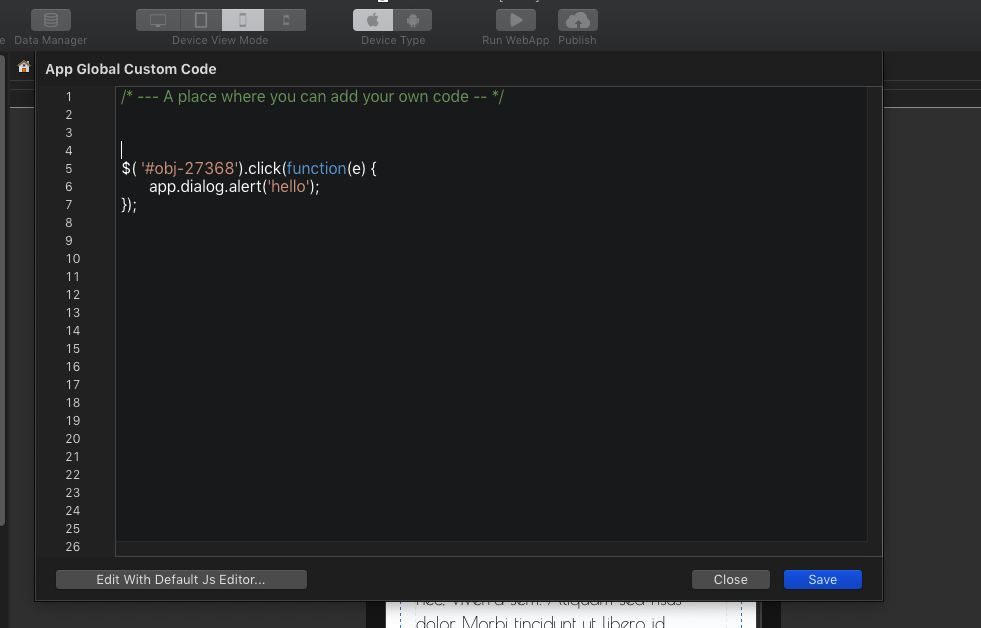
The necessary Code for responding to an event is automatically added and editable within a basic code editor, including syntax colorisation. (see screen shot on the left).
Note that it is possible to edit this code from another editor (Visual Studio, etc…)
JSON API (WEBAPPS)
Local JSON FILES & API REST
With the All new JSON API Widget combined to the Framework7 Virtual List, it is now possible to display a set of data from a JSON local File or a remote API.
The Widget can display image list as well and includes a search bar.
A JSON List can be linked to a JSON Detail form that will display all the information for the selected record.
This Detail Form can display text fields as well as multimedia items (Pictures, Videos, and Audio files)
json Virtual List
JSON Virtual List: for displaying a set of data
json Search Bar
JSON Search Bar: for searching data in Virtual Lists
json Detail Form
json Detail Form: for Displaying the detail of a record
json Detail Fields
JSON Detail Fields: for Displaying Record Fields
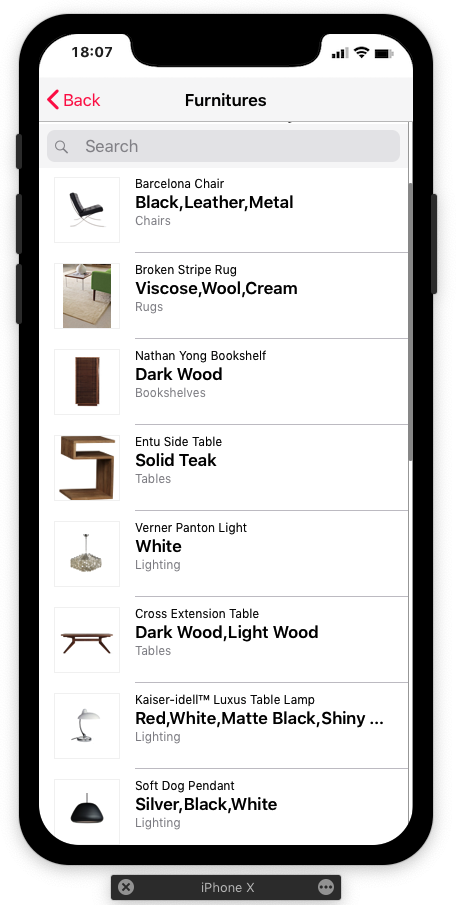
API Rest Implementation Example
SQLLITE DB API
Local JSON FILES & API REST
An API is now available for reading and writing to the SQLLite Database files from an external process.
The API documentation is in progress.
SNIPPET
The HTML Snippet object now includes a Size helper with different display ratio: 16by9, 4by3, 1by1 or Cover Mode (Height 100%)
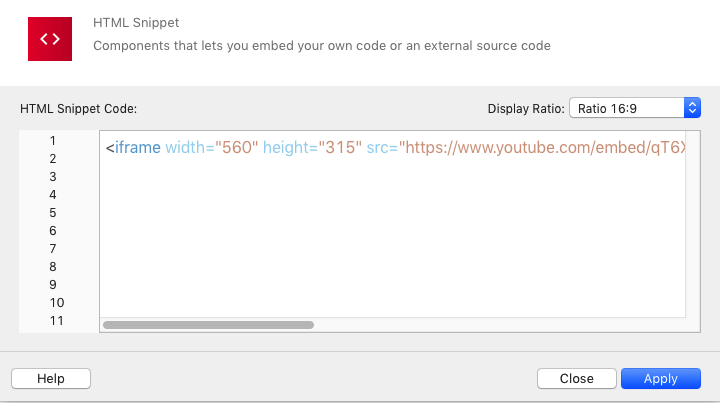
HTML Code is now displayed using Syntax Colorisation.